
NP Editor user manual
This manual covers NP Editor 0.11.1. If you use a different version, pick it in the version selector at the top of the page. To see which version you have, open Help > About / Licenses in the editor.
Overview
Section titled “Overview”NP Editor (Noplatea™ Editor) is a Windows world editor for building Minecraft maps. In an interface similar to Unreal Engine, you place blocks, shape terrain and forests, and attach game behavior such as zone triggers. You test in first person by walking around inside the editor, then export the result as a Minecraft world, schematic, resource pack or server files.
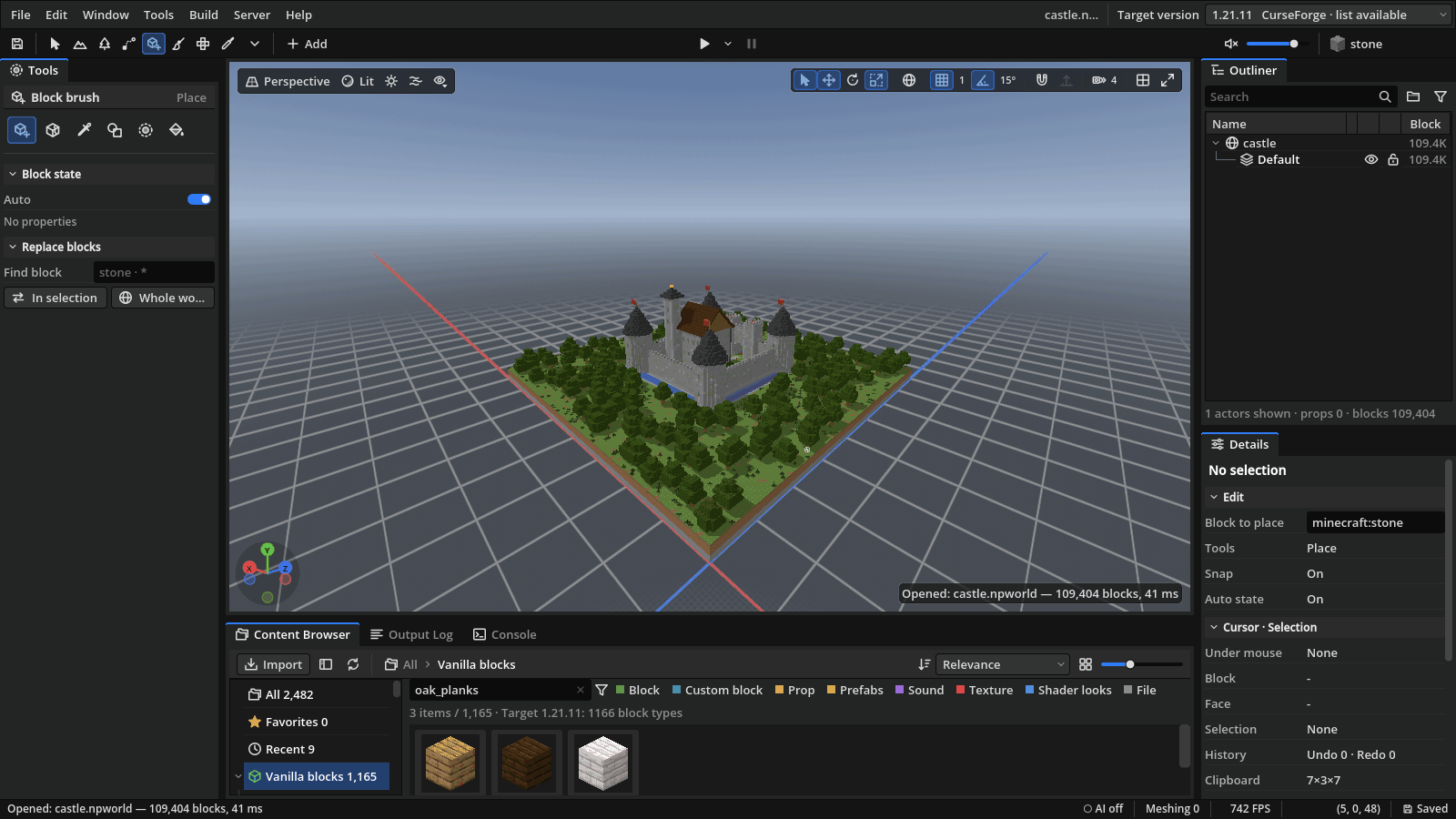
- Block textures are read from the Minecraft jar installed on this PC. You can choose which Minecraft version to build for.
- Send a request to AI Studio inside the editor and the AI builds directly with this editor’s tools.
- Import Blockbench, glTF and FBX models together with their animations, edit them, and use them as animated props in the game.
- Connect to a server that has the NPBridge server plugin installed and you edit the server world live.
New here?
Section titled “New here?”Read these pages in order.
| Step | Page | Contents |
|---|---|---|
| 1 | Install and first launch | Install · accept the terms · sign in and create an account · locate the Minecraft jar · target version |
| 2 | Editor layout | Menu bar · toolbar · panels · viewport · status bar |
| 3 | Camera and views | Camera controls · view types · view modes · show flags |
| 4 | Your first map | Hands-on: new world → lay the ground → place blocks → save |
| 5 | Tutorial: your first script | Send a welcome message to players who join the server |
| 6 | Tutorial “Mulgyeol” part 1 — Land and river | Build a large natural map, an opening cutscene, villagers, and a plaza group dance over four parts with the examples in the install folder |
Pages to keep at hand: Shortcuts · Settings · Troubleshooting · Glossary. If you used an earlier version, start with What’s new in 0.11.1.
What you can do
Section titled “What you can do”| Area | What you can do | Pages |
|---|---|---|
| Modeling | Place and break blocks; shapes, brush and fill; move, rotate and duplicate selections, fill with a repeating pattern | Placing and breaking blocks · Shapes, brush and fill · Selection and region editing |
| Modeling | Face extrude; block text, signs, decorations, symmetry; prefabs; model import | Face extrude · Detail tools · Prefabs · Importing custom models |
| Modeling | Model and prefab animation editing, VFX, export, View in game | Editing animations · Exporting animations and viewing in game |
| Terrain and environment | Height brush, rivers, roads, coasts; scatter trees and grass; paint surfaces; light and biomes | Landscape · Water, roads and coasts · Foliage · Paint and materials · Light and biomes |
| Game logic | Scene actors; “When → If → Do” rules; logic graph (Blueprint); variables and functions; cutscenes; play testing | Scene actors and Outliner · World logic · Logic graph · Variables, functions and data types · Sequencer · Testing in Play mode |
| Game logic | Physics bodies that fall and collide, rain and lightning weather, rendering a sequence as video | Physics · Weather, rain and lightning · Sequence video render |
| Look and feel | A game view that matches the shader pack; sky and sound; resource pack and HUD | Game view and shader pack · Sky and sound · Resource pack and HUD |
| Project and export | Content Browser; markers, load budget and snapshots; co-building; protected areas; design tools; export; Minecraft versions | Content Browser · Markers, load budget and snapshots · Co-building · Protected areas · Design tools · Export and import · Minecraft versions |
| Server | Connect live to an NPBridge server and edit the server world; install NPBridge on a server | Server connection (live) · Installing NPBridge (server admins) |
| AI | Build by sending requests in the AI Studio panel; safety features; connect an external AI (MCP) | AI Studio in the editor · AI safety features · External AI (MCP) |
Topics that do not depend on the editor version, such as your account, credits and Web Studio, are in the shared “Service” pages: Noplatea account · Free trial and devices · Credits and pricing · Linking Patreon · Web Studio · Crash reports and privacy.
For plugin developers
Section titled “For plugin developers”You can build external plugins that add menus, modes, panels and world logic types to the editor. Start with the plugin development overview, then build your first plugin with the Quick start. The 0.11.0 installer loads only plugins signed by Noplatea (Distribution and versioning). The rule file format is described in scene.json format and the World logic type list.
Reference
Section titled “Reference”| Item | Value |
|---|---|
| Manual version | 0.11.1 (installer NPEditor_Setup_0.11.1.exe) |
| Default target version | Minecraft 1.21.11 |
| Operating system | Windows 64-bit |
| Server plugin | NPBridge 2.4.0 (Paper 1.21 or later, Java 21) |
| Shader pack | NP Lite v3.24 |
NP Editor is not an official Mojang or Microsoft product and is not affiliated with them.
Not an official Minecraft product. Not approved by or associated with Mojang or Microsoft.